Showing posts with label document database. Show all posts

Tuesday, October 9, 2018

MySQL Books - 2018 has been a very good year

Someone once told me you can tell how healthy a software project is by the number of new books each year.  For the past few years the MySQL community has been blessed with one or two books each year. Part of that was the major shift with MySQL 8 changes but part of it was that the vast majority of the changes were fairly minor and did not need detailed explanations. But this year we have been blessed with four new books.  Four very good books on new facets of MySQL.

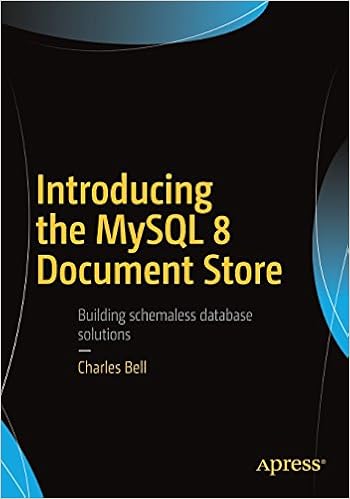
Introducing the MySQL 8 Document Store is the latest book from Dr. Charles Bell on MySQL.  If you have read any other of Dr. Chuck's book you know they are well written with lots of examples.  This is more than a simple introduction with many intermediate and advanced concepts covered in detail.

Introducing the MySQL Document Store -- Dr. Charles Bell
Introducing the MySQL 8 Document Store
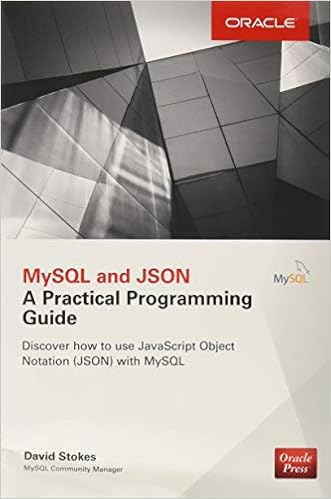
MySQL & JSON - A Practical Programming Guide by yours truly is a guide for developers who want to get the most of the JSON data type introduced in MySQL 5.7 and improved in MySQL 8.  While I love MySQL's documentation, I wanted to provide detailed examples on how to use the various functions and features of the JSON data type. 

MySQL and JSON A Practical Programming Guide

Jesper Wisborg Krogh is a busy man at work and somehow found the time to author and co-author two books.  The newest is MySQL Connector/Python Revealed: SQL and NoSQL Data Storage Using MySQL for Python Programmers which I have only just received.  If you are a Python Programmer (or want to be) then you need to order your copy today.  A few chapters in and I am already finding it a great, informative read.
MySQL Connector/Python Revealed

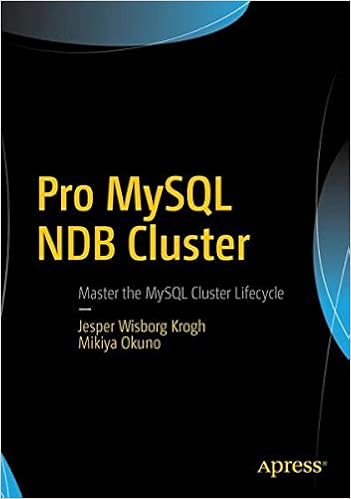
Jesper and Mikiya Okuno produced a definitive guide to the MySQL NDB cluster with Pro MySQL NDB Cluster.  NDB cluster is often confusing and just different enough from 'regular' MySQL to make you want to have a clear, concise guidebook by your side.  And this is that book.

Pro MySQL NDB Cluster

Recommendation

Each of these books have their own primary MySQL niche (Docstore, JSON, Python & Docstore, and NDB Cluster) but also have deeper breath in that they cover material you either will not find in the documentation or have to distill that information for yourself.  They not only provide valuable tools to learn their primary facets of technology but also provide double service as a reference guide. 


Thursday, September 6, 2018

JSON Paths and the MySQL JSON Functions

I wrote MySQL and JSON: A Practical Programming Guide to help developers find their way around the MySQL JSON data type and the supporting functions. The MySQL Documentation on the subject is very good but I had to puzzle through the examples to see how things worked.  I might be a bit 'thick' but good examples always make things easier.  Others seem to have similar difficulties.
MySQL and JSON a Practical Programming Guide should be on your desk as a handy reference to MySQL's JSON data type.

 There was a recent post on Stackoverflow.com where someone had this JSON document:

{  
   "textures":[  
      {  
         "label":"test",
         "types":{  
            "t_1":0,
            "t_2":0
         }
      },
      {  
         "label":"KEK",
         "types":{  
            "t_1":0,
            "t_2":0
         }
      }
   ],
   "weapons":[  
      {  
         "name":"WW_SHT",
         "ammo":0
      },
      {  
         "name":"WW_DSS",
         "ammo":0
      }
   ]
}

And they wanted want to update t_1 to change value from 0 to 1.  I will not repost their code but to my eyes it looked convoluted. 

So How Do You Get There From Here?

Trying to figure out how to get down to a key or value is easy.  To see the top level keys simply use JSON_KEYS()

SELECT JSON_KEYS(doc) FROM zz1 LIMIT 1;

'[\"weapons\", \"textures\"]'

But how to get deeper??

By using select doc->>"$.textures[*]" from zz1 limit 1; we get all the info under the textures key.

[{"label": "test", "types": {"t_1": 0, "t_2": 0}}, {"label": "KEK", "types": {"t_1": 0, "t_2": 0}}]

Okay so we are getting closer to the target!    Now to take one more step closer with select doc->"$.textures[*].types" from zz1 limit 1;

[{"t_1": 0, "t_2": 0}, {"t_1": 0, "t_2": 0}]

I like to use JSON_PRETTY to get a enhanced view:

select json_pretty(doc>"$.textures[*].types")  
from zz1 limit 1;
 [
  {
    "t_1": 0,
    "t_2": 0
  },
  {
    "t_1": 0,
    "t_2": 0
  }


But there are two t_1s!

The next step is to get just those t_1 values and that is done with select 
doc->"$.textures[*].types.t_1" from zz1;

Which gives us:

 [0, 0]

Not really confidence inspiring ,eh? So lets change one of those zeros to a nine.

update zz1 set doc = json_set(doc,"$.textures[0].types.t_1",9);
 
So did we change the first or the second t_1??

select json_pretty(doc>"$.textures[*].types")  
from zz1 ;
 [
  {
    "t_1": 9,
    "t_2": 0
  },
  {
    "t_1": 0,
    "t_2": 0
  }

But lets double check and change the second t_1 also. 

update zz1 set doc = json_set(doc,"$.textures[1].types.t_1",7) ;

Hopefully that second one will end up with a value of seven.

select 
json_pretty(doc->"$.textures[*].types") from zz1;
 [
  {
    "t_1": 9,
    "t_2": 0
  },
  {
    "t_1": 7,
    "t_2": 0
  }

So now we can get to the exact values we want.

Annotated JSON Document

So lets look at the section of the JSON document and annotate in red the paths in the document.

"textures":[  
      {  -- textures[0]
         "label":"test",  
         "types":{  -- textures[0].types
            "t_1":0,--textures[0].types.t_1
            "t_2":0
         }
      },
      {  -- textures[1]
         "label":"KEK",
         "types":{  
            "t_1":0,--textures[1].types.t_1
            "t_2":0
         }
      }
   ]
Hopefully this will ease someone's confusion down the line.  And please do buy my book.