Showing posts with label database. Show all posts

Tuesday, January 4, 2022

MySQL Track at SCaLE 19x

 SCaLE 19X – the 19th annual Southern California Linux Expo – will take place  March 3-6, 2022 in Pasadena, CA. 

SCaLE is the largest community-run open-source and free software conference in North America. It is held annually in the greater Los Angeles area.  A year might have been skipped due to Covid-19 but it looks like we will be back in person this year.  


The MySQL Track features nine talks on a variety of subjects from some of the best  known MySQL experts.  


Dave Stokes - MySQL New Features

MySQL now features quarterly releases that come with new features. So if you do not know about hash joins, replica set, dual password, or other new features then you need to be in this presentation.


Peter Zaitsev - State of MySQL Security in 2021

In this talk we will look into the state of MySQL Security in 2021.  We will cover the new security focused features available in MySQL (and MySQL Compatible variants) as well as share best practices to consider for secure MySQL deployment.


Peter Zaitsev - 18 Things To Do When You Have a MySQL Bottleneck

The presentation will be focused on dealing with an unexpected high traffic event as it is happening.


Pep Pla - Forward to the Past: Point in time recovery for MySQL

Disasters happen. Somebody runs a process that renders the data in your database unusable, inconsistent, or just deleted. Wouldn't it be great to be able to recover your database to the state just before the disaster happened?


Pep Pla -- I need some (MySQL) backup!


"If you have a hammer, all you see is nails." also known as the Law of the Instrument describes the cognitive bias that involves over-reliance on a familiar tool. To protect MySQL data, a DBA must have a toolbox full of the proper utensils. To know only one approach is not enough.


Mattias Crauwels - MySQL backup best-practices in 2022

Backups are important for your business! I will give you some best practices on how to do it properly!


Michael Marx - The Great Migration: Galera Cluster to InnoDB Cluster

InnoDB cluster has several advantages when  you need highly available data and in this presentation you will see how to convert from Galera for better performance.


Michael MarxMySQL enhanced with Heatwave

HeatWave is a massively parallel, high performance, in-memory query accelerator for Oracle MySQL Database Service that accelerates MySQL performance by orders of magnitude for analytics and mixed workloads.


Dave Stokes - MySQL Indexes

MySQL indexes can greatly speed up your queries, or doom you database to performance night mares.  Learn about the various types of indexes, how test them, and how to use them efficiently. 


Hopefully I will see you at these talks in March or at the MySQL Booth in the expo hall!

Wednesday, March 24, 2021

From Spreadsheet to Database with MySQL Workbench

In the last post I covered some of the many reasons to migrate data from a spreadsheet to a database and now it is time to show how to do just that.  Moving data from a spreadsheet into MySQL can actually be pretty simple in many cases. Now I will not mislead you by telling you that all cases are easy but there is an easy way to make this migration.  And I highly recommend the following process when possible as it can save lots of time. More painful migrations will be covered in the future but this post is my favorite 'fast and easy' process.

This is a guide to taking data from a spreadsheet and easily moving that data into a MySQL database instance. The trick is the Import Wizard in MySQL Workbench that does a lot of the detail work for you. In a future post we will go into what you have to do when you are not using Workbench and have many more steps to take to get the job done.

You will find the data for this example at https://catalog.data.gov/dataset/texas-dot-txdot-work-zone-data  and this dataset provides lane closure occurrences within the Texas Department of Transportation (TxDOT) highway system in a tabular format.  By the way, Texans love to argue about who has the best BBQ and freeway construction. This is a continuously updatid archive of the TxDOT WZDx feed data can be found at ITS WorkZone Raw Data Sandbox and the ITS WorkZone Semi-Processed Data Sandbox. The live feed is currently compliant with the Work Zone Data Exchange (WZDx) Specification version 2.0.  But most importantly for this blog is that it is a good example dataset.  So please download it and import it into the spreadsheet of your choice.

1. Export Data

There are many ways to covert the data from a spreadsheet to something MySQL can consume.  The easiest is to save it in CSV or Comma Separated Variables were every column of data has a comma between it and the next column.  In Sheets you will use FILE->Download->CSV , Excel is File->Save As->CSV, and other spread sheet software will have something similar.  Please not that for most programs this exports the current sheet and not the entire spreadsheet. 

road_event_feed_info_feed_update_date,road_event_feed_info_version,road_event_id,subidentifier,road_name,road_number,direction,beginning_cross_street,ending_cross_street,beginning_milepost,ending_milepost,beginning_accuracy,ending_accuracy,start_date,end_date,start_date_accuracy,end_date_accuracy,event_status,total_num_lanes,vehicle_impact,workers_present,reduced_speed_limit,restrictions,description,issuing_organization,creation_date,update_date,types_of_work,lanes,geometry_linestring,geometry_multipoint

03/17/2021 04:58:33 PM,2,ELP_2019-08-01_00014+2021-03-17,ELP,SH-20,,eastbound,US-54,,,,Estimated,Estimated,03/17/2021 12:00:00 AM,03/17/2021 11:59:59 PM,Estimated,Estimated,,3,some-lanes-closed,,,[],2019 - 08/01 On-Going Closure - Right lane closure,TxDOT,,,[],"[{""lane_edge_reference"": ""left"", ""lane_number"": 1, ""lane_status"": ""open"", ""lane_type"": ""left-lane""}, {""lane_edge_reference"": ""left"", ""lane_number"": 2, ""lane_status"": ""open"", ""lane_type"": ""middle-lane""}, {""lane_edge_reference"": ""left"", ""lane_number"": 3, ""lane_status"": ""closed"", ""lane_type"": ""right-lane""}]",,MULTIPOINT ((-106.445503 31.773454))

The data above shows only the first two rows of data.  The first row of data has the column headings and the second row is sample data.  Workbench can read the first row and use those columns names to create the column names for the table in the database.  It will read the other lines in the table to make an educated guess on the data types for the columns of the table.

2. Import Data

Start MySQL Workbench and login your to instance. 

Open a new SQL tab by clicking on the icon indicated below.


Issue a CREATE DATABASE texdot; command in that new SQL tab. Do not forget the semicolon at the end of the line that indicates the end of the Structured Query Language (SQL) command.


Next execute that create database command by hitting the second lightening bolt icon.  The second lightening bolt icon executes the SQL under the cursor.


You will see that the command has executed with the 1 row(s) effected message. 


Now we have to tell Workbench that we want to use that new database we just created. No, that does not automatically happen.  You have to select the little 'eyeball' icon on schema list to reload the list of available schemas (schemas and databases are used interchangeably in the MySQL world).


Now scroll down in the schemas window until you see your new database.  Click on 'texdot' to tell Workbench that this is the database we want to use. When you click on it you will see underneath the active schema name in green.


Then select the right pointing arrowhead to expand the information on the schema.


Right click on the Tables line and you will see the Table Data Import Wizard option.  


Now comes the neat stuff.


Enter the name of the file where the CSV data resides.


In my case it was in D:\tex\ and I was able to browse for it.

We want to create a new table in the texdot directory 


And I was able to enter the name zone for the new table.


The wizard starts to work it's magic.  It takes the data in the first row of the CSV file and converts them to file names. It then looks at the rest of the datafile to determine data type.


You will note that you can change them if you want and it will automatically make a best for types like JSON. Select Next when you are ready to proceed.


You are now ready to import.  Select Show Logs from the lower left corner and then select Next.


The data is now uploaded.


The time to import is partially a function of the CSV file length but eventually you will get the Import data file finished message. Again select Next.


There are some statistics on the performance of the import that may be of use. In this case we import just over 1600 records. Select Finished.


Hit that eyeball icon again to reload the table table.  


And we can now use SQL to query the data. Enter SELECT * FROM texas_dzone LIMIT 5; and again select that second lightening bolt icon.  (please note that in an earlier run is uesed the name 'zone' instead of 'texas_dzone')


And the results of that query.


In just a few moments the data went from being in a spreadsheet to being in a database.  No muss, no fuss.  In the future we will look at datasets that take a little more 'engineering' to get into the database as there are cases where we and not the wizard have to do the 'heavy lifting'.  

More on MySQL Workbench

For on MySQL Workbench please see https://www.mysql.com/products/workbench/  to download and https://dev.mysql.com/doc/workbench/en/  for the documentation.

Sunday, March 10, 2019

MySQL and PHP Basics Part I

I have had some requests to write some blogs on the basics of using PHP and MySQL together.  This will not be a series for the experienced as it will start at a level where I will go into a lot of details but expect very few prerequisites from the reader.  If this is not you, please move on. If it is you and you read something you do not understand, please contact me to show me where I assumed too much.

PHP and MySQL are both in their mid twenties and both vital in the worlds of developers.  With the big improvements in PHP 7 and MySQL 8, I have found a lot of developers flocking to both but stymied by the examples they see as their are many details not explained. So let's get to the explaining!

1. Use the latest software

If you are not using PHP 7.2 or 7.3 (or maybe 7.1) then you are missing out in features and performance.  The PHP 5.x series is deprecated, no longer support, and is quickly disappearing.  

MySQL 8.0 is likewise a big advancement but many sites are using earlier versions.  If you are not on 5.6 with plans to upgrade to 5.7 then you are about to be left behind.  If you are running an earlier version then you are using antique code. Also get your MySQL from MySQL as your Linux distro may not be current, especially for the smaller ones.  The APT and DEB repos can be  found here and there are Docket containers available too. 

In many cases it is a fight to keep your software core tools up to date, or fairly up to to date.  The time and heartache in fighting problems resolved in a later version of software or creating a work around for a feature not in your older version will eventually bite you hard and should be viewed as a CRM (Career Limiting Move).  BTW hiring managers look for folks with current skills not skill for a decade old version of the skills.

2. Do not pick one connector over another (yet!)

PHP is a very rich environment for developers and it has three viable options for connecting to MySQL databases.  Please note that the older mysql connector is deprecated, no longer support, and is to be avoided.  It was replaced by the mysqli or mysqlnd (native driver) and is officially supported by Oracle's MySQL Engineers.  Next is the PDO (public data objects) connector that is designed to be database agnostic but there is no overall maintainer who watches out for the code but Oracle MySQL Engineers do try to fix MySQL related issues if they do not impinge on other PDO code. And the newest, using the new MySQL X DevAPI and X protocol is the X DevAPI connector which supports both SQL and NoSQL interfaces.

The good news for developers is that you can install all three, side by side, with no problem.  For those staring out the ability to transpose from connector can be a little confusing as they work just a bit differently from each other but the ability to use two or more is a good skill to have.  Such much like being able to drive a car with an automatic or manual transmission, it does give you more professional skills.

Next time we will install PHP, MySQL, the three connectors, and some other cool stuff so you can start using PHP to access your MySQL servers.

Thursday, February 7, 2019

Miami and Santo Domingo with MySQL Document Store

The next two weeks are a big change for me compared to the last two weeks.  The last two weeks I was in Belgium and now I am in Miami before heading to the Dominican Republic.  The one thing in common is that I am speaking on the MySQL Document Store.

SunshinePHP has become a favorite conference for many PHP developers for many reasons and this morning I will be running a three hour tutorial on using the PECL MySQL X DevAPI and the MySQL Document Store with PHP and then have a one hour talk later in the show. Plus I am joined by the amazing Kathy Forte who will speak on Driving Innovation With MySQL 8.0 and Docker.

Pycaribbean is a new show hoping to foster a growing developer community into the area.  And i will be showing how to use the MySQL Document Store with Python.

Tuesday, November 13, 2018

Pager for the New MySQL Shell

I love the new shell but the one thing I missed from the old shell was the ability to use a pager like more or less to throttle the output of the screen.  Low and behold the engineers have added paging in MySQL Shell 8.0.13!!

Turn Paging On


Things can scroll off the screen quickly and pagination programs keep the output to small chunks.  To pick the more program as you pagination program, simply enter \pager more or for less enter \pager less

See the first illustration


How to turn paging on and off with the MySQL Shell 8.0.13


Yeah!

A big thanks to the MySQL Engineers!!


Turn Paging Off

And sometimes you do not need pagination and simply typing \pager and return will clear the setting. See the first illustration.


And you can determine how many lines to be output before output stops. \pager more -6 stops every six lines of output.

Setting the output of more to six lines


Other Pagination Programs

You can declare your desire to use another program for pagination on the command line like so mysqlsh --pager=foo

Tip: if you set the pager to \pager less -S, it will page horizontally too, so you can view wide results even without \G

The Documentation


The manual page for the pager is ->Using a Pager


Friday, November 9, 2018

A Tale of Two JSON Implementations - MySQL and MariaDB

JSON has proven to be a very import data format with immense popularity. A good part of my time for the last two or so years has been dedicated to this area and I even wrote a book on the subject.  This is a comparison of the implementations of handling JSON data in MySQL and MariaDB. I had requests from the community and customers for this evaluation.


JSON Data Types Are Not All Equal


MySQL added a JSON data type in version 5.7 and it has proven to be very popular.  MariaDB has  JSON support  version 10.0.16 but is actually an alias to a longtext data type so that statement based replication from MySQL to MariaDB is possible.

MySQL stores  JSON documents are converted to an internal format that permits quick read access to document elements.  The binary format is structured to enable the server to look up sub-objects or nested values directly by key or array index without reading all values before or after them in the document.  From a practical standpoint the big thing most people notice is that the data is alphabetized.

MariaDB does no such optimization and their documentation states the claim that the performance is at least equivalent.

JSON Tables

The first comparison is 'how hard is it to put non-JSON data into a JSON column?'  The standard (see below under 'extra'), by the way, states that the data must be in the UTF8MB4 character set. And what is going on 'underneath the cover'?

The first step is to create tables to hold JSON data.


MySQL:

create table t1 (j json);
Query OK, 0 rows affected (0.1826 sec)

 MySQL  localhost:33060+ ssl  json  SQL > show create table t1;
+-------+----------------------------------------------------------------------------------------------------------------+
| Table | Create Table                                                                                                   |
+-------+----------------------------------------------------------------------------------------------------------------+
| t1    | CREATE TABLE `t1` (
  `j` json DEFAULT NULL
) ENGINE=InnoDB DEFAULT CHARSET=utf8mb4 COLLATE=utf8mb4_0900_ai_ci |
+-------+----------------------------------------------------------------------------------------------------------------+
1 row in set (0.0149 sec)

 MySQL  localhost:33060+ ssl  json  SQL > desc t1;
+-------+------+------+-----+---------+-------+
| Field | Type | Null | Key | Default | Extra |
+-------+------+------+-----+---------+-------+
| j     | json | YES  |     | NULL    |       |
+-------+------+------+-----+---------+-------+
1 row in set (0.0028 sec)


MariaDB:

MariaDB [json]> create table t2 (j json);
Query OK, 0 rows affected (0.046 sec)

MariaDB [json]> show create table t2;
+-------+----------------------------------------------------------------------------------------------------------------------------------+
| Table | Create Table                                                                                                                     |
+-------+----------------------------------------------------------------------------------------------------------------------------------+
| t2    | CREATE TABLE `t2` (
 `j` longtext CHARACTER SET utf8mb4 COLLATE utf8mb4_bin DEFAULT NULL
) ENGINE=InnoDB DEFAULT CHARSET=latin1 |
+-------+----------------------------------------------------------------------------------------------------------------------------------+
1 row in set (0.000 sec)

MariaDB [json]> desc t2;
+-------+----------+------+-----+---------+-------+
| Field | Type     | Null | Key | Default | Extra |
+-------+----------+------+-----+---------+-------+
| j     | longtext | YES  | | NULL |      |
+-------+----------+------+-----+---------+-------+
1 row in set (0.001 sec)

MariaDB [json]>


Conclusion: Both use UTF8MB4 and the underlying tables are roughly equivalent.

Checking Constraints

Ensuring that only JSON gets into the JSON columns is essential. MySQL does this by default for the JSON data type but MariaDB does not.

MySQL:

insert into t1 values('junk');

ERROR: 3140: Invalid JSON text: "Invalid value." at position 0 in value for column 't1.j'.

MariaDB:


MariaDB [json]> insert into t2 values ('junk');

Opps! We now have a NON-JSON value in the table.

To be fair, MariaDB does let you establish a constraint check on the column to avoid this issue.


MariaDB [json]> drop table t2;
Query OK, 0 rows affected (0.046 sec)
MariaDB [json]> create table t2 (j json, check (json_valid(j)));
Query OK, 0 rows affected (0.049 sec)


MariaDB [json]> insert into t2 values ('junk');
ERROR 4025 (23000): CONSTRAINT `CONSTRAINT_1` failed for `json`.`t2`

Conclusion: MySQL does as advertised by rejecting non-JSON data by default while MariaDB can do so with a little extra work.

Loading Data


The only major complaint about JSON data is that there is just so much of it. So having a way to bulk load is important.

MySQL:

MySQL's new shell (mysqlsh) has Python, JavaScipt, and SQL modes.  It is very easy to use either the Python or JavaScript modes to write a quick script to read bulk data sets line by line.  Giuseppe 'Datacharmer' Maxia has a great example of converting data from MongoDB to MySQL using the shell and I have used that example code extensively in the past. But now 8.0.13 has a bulk loader built into the shell.
The New MySQL Shell's utility to bulk load JSON

This utility functions allows JSON data to be stores in a JSON Document Collection (MySQL Document Store) or in a JSON column of s structured table. Very handy.


MariaDB:

Maria does not have an equivalent to the new MySQL Shell nor does it have a bulk loader utility for JSON data. 

I tired to use the Connect Storage Engine (not installed by default) and follow the examples on the CONNECT JSON Table Type page without luck. The Connect engine is supposed to have the capability to auto discover a table structure and define the table itself.  Mea Cupla for not getting this to work and I would encourage those who do use this feature to send me pointers PLEASE! But after several hours and tedious attempts to follow the examples exactly it was time to move on to something else.

Conclusion: MySQL does better loading data, especially in bulk.

JSON Functions


Both databases have functions and there are some differences.


  1. Functions That Create JSON Values
    1. JSON_ARRAY, JSON_OBJECT and JSON_QUOTE  are found in both and work the same.
  2. Functions That Search JSON Values
    1. JSON_CONTAINS, JSON_CONTAINS_PATH, JSON_EXTRACT, JSON_KEYS, and JSON_SEARCH are found in both and work the same.  However only MySQL has the -> and ->>  shortcuts for JSON_EXTRACT and JSON_UNQUOTE(JSON_EXTRACT)).. 
  3. Functions That Modify JSON Values
    1. JSON_ARRAY_APPEND, JSON_ARRAY_INSERT, JSON_INSERT, JSON_REMOVE, JSON_REPLACE, JSON_SET, and JSON_UNQUOTE are in both and work the same.  
    2. MariaDB has JSON_MERGE which has been deprecated in MYSQL 8.0.3 and replaced with JSON_MERGE_PRESERVE & JSON_MERGE_PATCH.   MySQL 8.0 supports the JSON Merge Patch format defined in RFC 7396 function.
  4. Functions That Return JSON Value Attributes
    1. JSON_DEPTH, JSON_LENGTH, JSON_TYPE, and JSON_VALID are found in both and work the same.
  5. Table Functions
    1. JSON_TABLE which allows you to use unstructured JSON data in a structured temporary table is in MySQL only.
  6. JSON Utility Functions
    1. JSON_PRETTY, JSON_STORAGE_FREE, and JSON_STORAGE_SIZE are only in MySQL.
  7. Other Functions
    1. JSON_ARRAYAGG and JSON_OBJECTAGG are only in MySQL and are very handy for turning non JSON data into JSON.
    2. JSON_VALUE and JSON_QUERY are MariaDB specific and return an object/array or a scalar respectively.

Conclusion:  I tested both database's functions and found they worked as advertised.  JSON_PRETTY is much missed by my eyes when dealing with documents with several levels of embedding with MariaDB.  The merging functions are richer for MySQL especially for those who need to follow the merge patch standard. And JSON_TABLE is a valuable tool when trying to treat unstructured data as structured data temporarily especially combined with CTEs and Windowing Functions that were introduced in MySQL 8.   

Updating Data


Updating data can be expensive and JSON data can be expansive.

MySQL:

MySQL 5.7 required a complete re-write of the document.  If this is something you do a lot then you need to consider upgrading to MySQL 8.

MySQL 8.0's  the optimizer can perform a partial, in-place update of a JSON column instead of removing the old document and writing the new document in its entirety to the column. 
Replication. But there are conditions to this: 1) It has to be a JSON column, 2) The UPDATE statement uses any of the three functions JSON_SET(), JSON_REPLACE(), or JSON_REMOVE() to update the column but a direct set like UPDATE mytable SET jcol = '{"a": 10, "b": 25'}) does not work, 3) The input column and the target column must be the same column, 4) All changes replace existing array or object values with new ones, and do not add any new elements to the parent object or array, and 5) The value being replaced must be at least as large as the replacement value. In other words, the new value cannot be any larger than the old one (An exception to this requirement occurs when a previous partial update has left sufficient space for the larger value. You can use the function JSON_STORAGE_FREE() see how much space has been freed by any partial update). If you can follow those rules the optimizer will do partial rewrites.

MariaDB:

I searched the MariaDB docs and Jira but found no mention of partial JSON column updates.  If anyone has links, please send them to me. So it appears that MariaDB does a full rewrite.

Conclusion:  MySQL is more efficient here.

Replication 

Efficient replication is a must and goes double for JSON with the potential of very large document payloads having to cross network connections.

MySQL:

In MySQL 5.7 an update to a JSON column was written to the binary log as the complete document. In MySQL 8.0, it is possible to log partial updates to JSON documents.   In statement based replication JSON partial updates are always logged as partial updates. 

But in row based replication they are logged as complete documents. To enable the logging of partial updates, set binlog_row_value_options=PARTIAL_JSON. Please note that the replication master has this variable set, partial updates received from that master are handled and applied by a replication slave regardless of the slave's own setting for the variable.


MariaDB:

I searched the MariaDB docs and Jira but found no mention of partial JSON Replication updates.  If anyone has links, please send them to me. So expect the full document to be replicated.

Conclusion: MySQL can be more efficient.

X DevAPI / Document Store

Only MySQL has the Document Store and the underlying Document Store and it is proving to be very popular with customers.  The ability to use a database as a NoSQL Document Store and a relational database is popular.  Not having embedded strings in their code and having the IDEs help is driving developers to this approach. 

MariaDB's CTO said at Zendcon that they will support if customers demand.

Conclusion:  MySQL is the sole choice here.


Overall Conclusion

I have been using MySQL's JSON data type since the 5.7 DMRs and know them well.  MariaDB's implementation seems very familiar and works as expected.  MySQL is superior in the partial updates of data and replication, functions such as JSON_TABLE, the X DevAPI, and bulk loading of data. 

Extra


The IETF's standard is here and makes pretty quick reading.

Saturday, October 27, 2018

Quickly Load JSON Data into The MySQL Document Store with util.importJson

With new MySQL Shell 8.0.13 comes a new way to quickly load JSON data sets very quickly.  In a past blog and in several talks I have shown how to use the shell with the Python mode to pull in the data.  But now there is a much faster way to load JSON

Load JSON Quickly

Start a copy of the new shell with mysqlsh. Connect to your favorite server \c dave@localhost and then create a new schema session.createSchema('bulk'). Then point you session to the schema just created with \use bulk.  Version 8.0.13 has a new utility function named importJson that does the work.  The first argument is the path to the data set (here the MongoDB restaurant collection) and the second allows you to designate the schema and collection where you wish to have the data stored.  In this example the data set was in the downloads directory of my laptop and I wanted to put it in the newly created 'bulk' schema in a collection named 'restaurants'

An Example of using util.importJson to quickly load JSON data into the MySQL Document Store
It took just over 2 seconds to read in over 25,000 records, not bad.

And a quick check of the data shows that is loaded successfully!


Tuesday, October 9, 2018

MySQL Books - 2018 has been a very good year

Someone once told me you can tell how healthy a software project is by the number of new books each year.  For the past few years the MySQL community has been blessed with one or two books each year. Part of that was the major shift with MySQL 8 changes but part of it was that the vast majority of the changes were fairly minor and did not need detailed explanations. But this year we have been blessed with four new books.  Four very good books on new facets of MySQL.

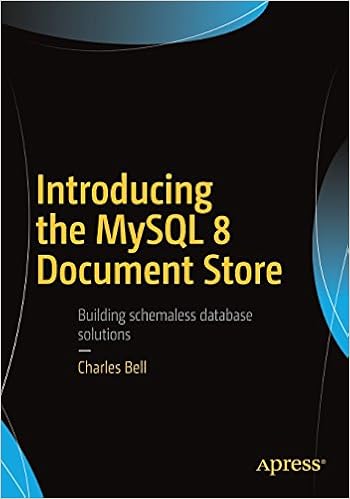
Introducing the MySQL 8 Document Store is the latest book from Dr. Charles Bell on MySQL.  If you have read any other of Dr. Chuck's book you know they are well written with lots of examples.  This is more than a simple introduction with many intermediate and advanced concepts covered in detail.

Introducing the MySQL Document Store -- Dr. Charles Bell
Introducing the MySQL 8 Document Store
MySQL & JSON - A Practical Programming Guide by yours truly is a guide for developers who want to get the most of the JSON data type introduced in MySQL 5.7 and improved in MySQL 8.  While I love MySQL's documentation, I wanted to provide detailed examples on how to use the various functions and features of the JSON data type. 

MySQL and JSON A Practical Programming Guide

Jesper Wisborg Krogh is a busy man at work and somehow found the time to author and co-author two books.  The newest is MySQL Connector/Python Revealed: SQL and NoSQL Data Storage Using MySQL for Python Programmers which I have only just received.  If you are a Python Programmer (or want to be) then you need to order your copy today.  A few chapters in and I am already finding it a great, informative read.
MySQL Connector/Python Revealed

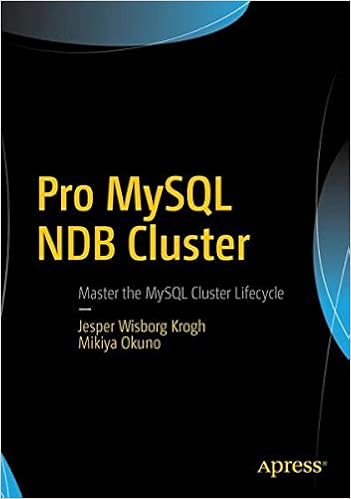
Jesper and Mikiya Okuno produced a definitive guide to the MySQL NDB cluster with Pro MySQL NDB Cluster.  NDB cluster is often confusing and just different enough from 'regular' MySQL to make you want to have a clear, concise guidebook by your side.  And this is that book.

Pro MySQL NDB Cluster

Recommendation

Each of these books have their own primary MySQL niche (Docstore, JSON, Python & Docstore, and NDB Cluster) but also have deeper breath in that they cover material you either will not find in the documentation or have to distill that information for yourself.  They not only provide valuable tools to learn their primary facets of technology but also provide double service as a reference guide. 


Sunday, July 29, 2018

A Kind Introduction MySQL Windowing Functions Part I


Windowing functions are a critical tool for grouping rows of data that are related to other rows. But they go far beyond the regular aggregate functions found in MySQL 5.7 and earlier. In MySQL 8 you do not have to collapse all the information down into a single output row. Each row can retain its individual identity but the server can analyze the data as a unit.

Statistics and Damned Lies

Finding the total Population of the District Texas from the world.city table is simple. 

SQL> select District, sum(Population)  
from city where district = 'Texas';
+----------+-----------------+
| District | sum(Population) |
+----------+-----------------+
| Texas    |         9208281 |
+----------+-----------------+
1 row in set (0.0068 sec)


 Simple.  But try to expand it to the entire USA and you get problems.

SQL> select District, sum(Population)  
from city where CountryCode = 'USA';
+----------+-----------------+
| District | sum(Population) |
+----------+-----------------+
| New York |        78625774 |
+----------+-----------------+
1 row in set (0.0046 sec)


The results only give out the results for all the cities and lumps them under New York. This is not the desired answer. By the way the only time New York (and New York city in particular) has 78 million people is when they are all on the road in front of me when I am trying to take a taxi to an airport.

With a windowing function it is easy to iterate over a subset of the entire data.  Imagine reading the data through a page with a section cut out to form a window that is just the right size to read only the group of rows desired!

SQL> select name, District, Population, sum(Population) over() as p0, 
     District, sum(population) over( partition by District) as p1
     from city where CountryCode = 'USA' limit 10;
+------------+----------+------------+----------+----------+---------+
| name       | District | Population | p0       | District | p1      |
+------------+----------+------------+----------+----------+---------+
| Birmingham | Alabama  |     242820 | 78625774 | Alabama  |  801519 |
| Montgomery | Alabama  |     201568 | 78625774 | Alabama  |  801519 |
| Mobile     | Alabama  |     198915 | 78625774 | Alabama  |  801519 |
| Huntsville | Alabama  |     158216 | 78625774 | Alabama  |  801519 |
| Anchorage  | Alaska   |     260283 | 78625774 | Alaska   |  260283 |
| Phoenix    | Arizona  |    1321045 | 78625774 | Arizona  | 3178903 |
| Tucson     | Arizona  |     486699 | 78625774 | Arizona  | 3178903 |
| Mesa       | Arizona  |     396375 | 78625774 | Arizona  | 3178903 |
| Glendale   | Arizona  |     218812 | 78625774 | Arizona  | 3178903 |
| Scottsdale | Arizona  |     202705 | 78625774 | Arizona  | 3178903 |
+------------+----------+------------+----------+----------+---------+
10 rows in set (0.0075 sec)


The above query has two windows.  The keyword to notice is OVER().  The window defined is OVER() with nothing within the parenthesis as this should be under stood to mean 'the widow is open wide enough to see all the data'. So sum(Population) over() as p0 will give us the sum of all the Population columns and name the column p0.

The second window is defined as sum(population) over (partition by District) as p1 will provide all of the Population of each district summed in a column named p1.  

Indianapolis 500 winning Lotus driven by Jimmy Clark. Before this car all other winners of the race had the engine in front of the driver.  What does this have to do with Windowing Functions, databases, SQL, or anything else in this blog post. Well, nothing but while at Detroit PHP I stopped by the Henry Ford Museum and took this picture of a very icon car that changed Indy forever.  Windowing Functions can change your SQL skills.

Different Types of Windows

The OVER clause has two forms - window_spec and window_name.  The window_spec option declares the specified window with the parenthesis.  While window_name is a window defined elsewhere in the query.  The send window in the above query  (where the output is named p1) is a window_spec.

So here is a window_name example:

SQL> SELECT District, Sum(Population) OVER w 
    FROM city where CountryCode ='USA' 
    WINDOW w AS (partition by District) limit 10;
+----------+------------------------+
| District | Sum(Population) OVER w |
+----------+------------------------+
| Alabama  |                 801519 |
| Alabama  |                 801519 |
| Alabama  |                 801519 |
| Alabama  |                 801519 |
| Alaska   |                 260283 |
| Arizona  |                3178903 |
| Arizona  |                3178903 |
| Arizona  |                3178903 |
| Arizona  |                3178903 |
| Arizona  |                3178903 |
+----------+------------------------+
10 rows in set (0.0032 sec)


The window was given the name w and then defined as WINDOW w AS (partition by District).   By the way the declaration within the window_name is itself as window_spec.

So what is a window_spec??


The definition from the manual (https://dev.mysql.com/doc/refman/8.0/en/window-functions-usage.html) informs that a window_spec is defined as:

window_spec: [window_name] [partition_clause] [order_clause] [frame_clause]

The window_name is an alias that can be used elsewhere in the query.

The partition_clause is how the data is to be divided up into groups. If this is unspecified it makes one big group.  

The order_clause provides the sort_order. Remember the ORDER BY from regular SQL queries?  This is how you can order the groups.

And the frame_clause determines sub groups within the big group.

And as it so often happens, there is a lot of material to be covered under the frame_clause and that will be in a future blog.


Friday, July 20, 2018

De-Normalization of Your Database with JSON

One of the humbling things about working at Oracle with the various MySQL personnel is that you are often blown away by something one of them says or does.  And that is on a regular basis.  In this case it is Dr. Charles Bell who gave a great series of presentations last June at the Southeast Linuxfest.

In particular he presented in a full formed state some ideas that had been rattling around in my  skull (but no way near as coherent) on how to take advantage of the MySQL JSON data type.  Below are his points from his slide deck.  I was reviewing my notes from his presentation when I realized that this information really needs to be more widely disseminated.   And I would like your feedback on these ideas?

1.. We can use a JSON field to eliminate one of the issues of traditional database solutions: many-to-many-joins
  • This allows more freedom to store unstructured data (data with pieces missing)
  • You still use SQL to work with the data via a database connector but the JSON documents in the table can be manipulated directly in code.
  • Joins can be expensive. Reducing how many places you need to join data can help speed up your queries.  Removing joins may result in some level of denormalization but can result in fast access to the data.
2. Plan For Mutability
  • Schemaless designs are focused on mutability. Build your applications with the ability to modify the document as needed (and within reason)
3. Remove Many-to-Many Relationships

  • Use embedded arrays and lists to store relationships among documents.  This can be as simple as embedding the data in the document or embedding an array of document ids in the document.
  • In the first case data is available as soon as you can read the document and in the second it only takes one additional step to retrieve the data. In cases of seldom read (used) relationships, having the data linked with an array of ids can be more efficient (less data to read on the first pass)
This presentation and others from the Southeast Linuxfest will be available online and I will be sure to post about that when it happens.

And a big thank you to Dr. Chuck for these ideas.